
Starter
EUR 150/ month
- Up to 200 invoices / month
- Basic invoice processing
- Basic workflow
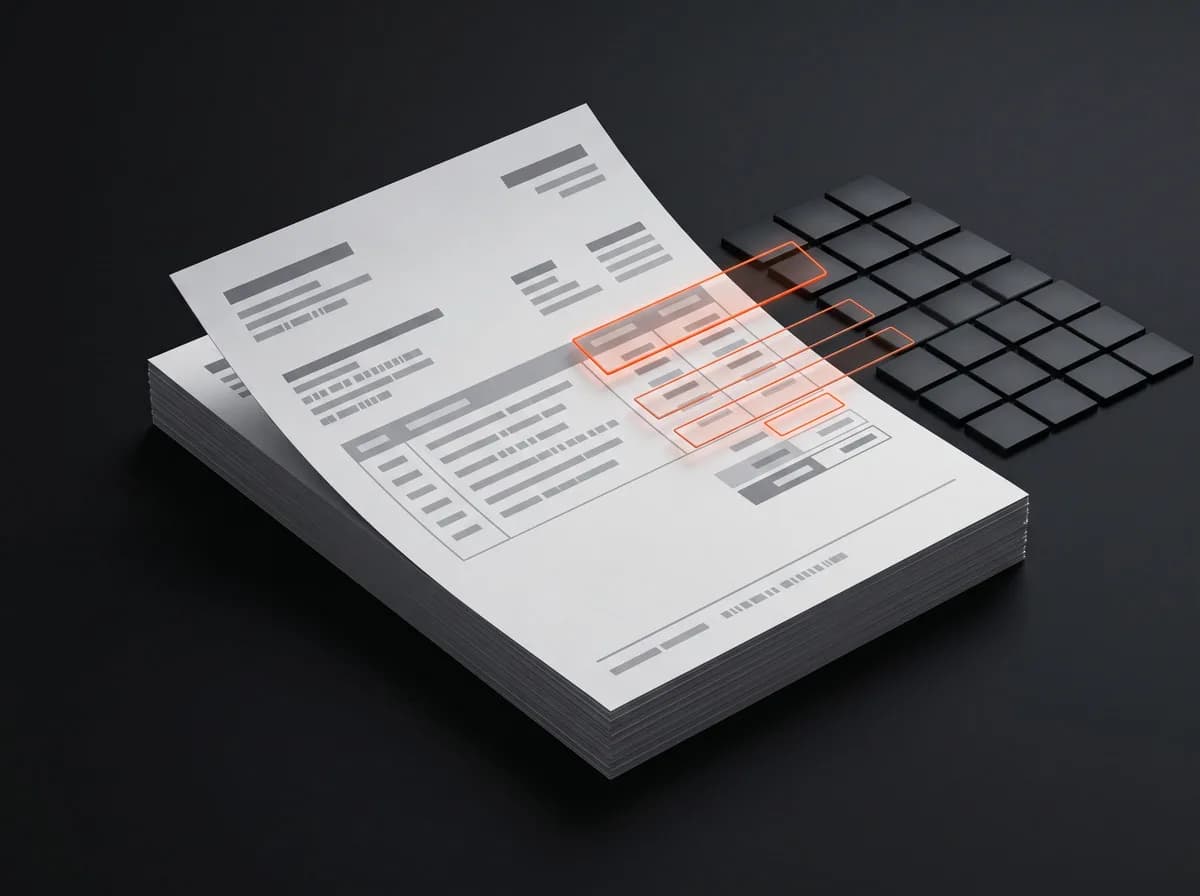
Eliminate manual data entry. An AI-based invoice processing platform: automatic data recognition, approval workflow and bank reconciliation in one system.
Challenge
Transferring data from PDFs and paper documents into accounting and ERP systems takes concentration, accuracy and time.
Incorrect entries are not only frustrating but also costly, and they hinder financial control.
Invoices approved late worsen liquidity. If you cannot see what has been paid, you have no up-to-date picture of your financial position either.
| Invoices arriving scattered | Traditional systems | “Black box” AI solutions | InvoiceBot | |
|---|---|---|---|---|
| How it works | In email accounts and folders; data has to be retyped by hand | Strong control, but preceded by lengthy integration | Fast, purely AI-based decisions | AI extracts the data, fixed rules govern approval |
| Traceability | Error-prone manual entry | Traceable | Decisions cannot be traced back | Remains auditable |
The solution
InvoiceBot is not just another invoicing program but a system that automates. AI extracts the invoice data, while the approval and payment route is governed by strict, predefined rules. Processing is fast, and operations remain auditable.
Input
Email, cloud storage, photo
AI
Formal and content accuracy
Rules
Predefined, deterministic
Result
Every step is traceable
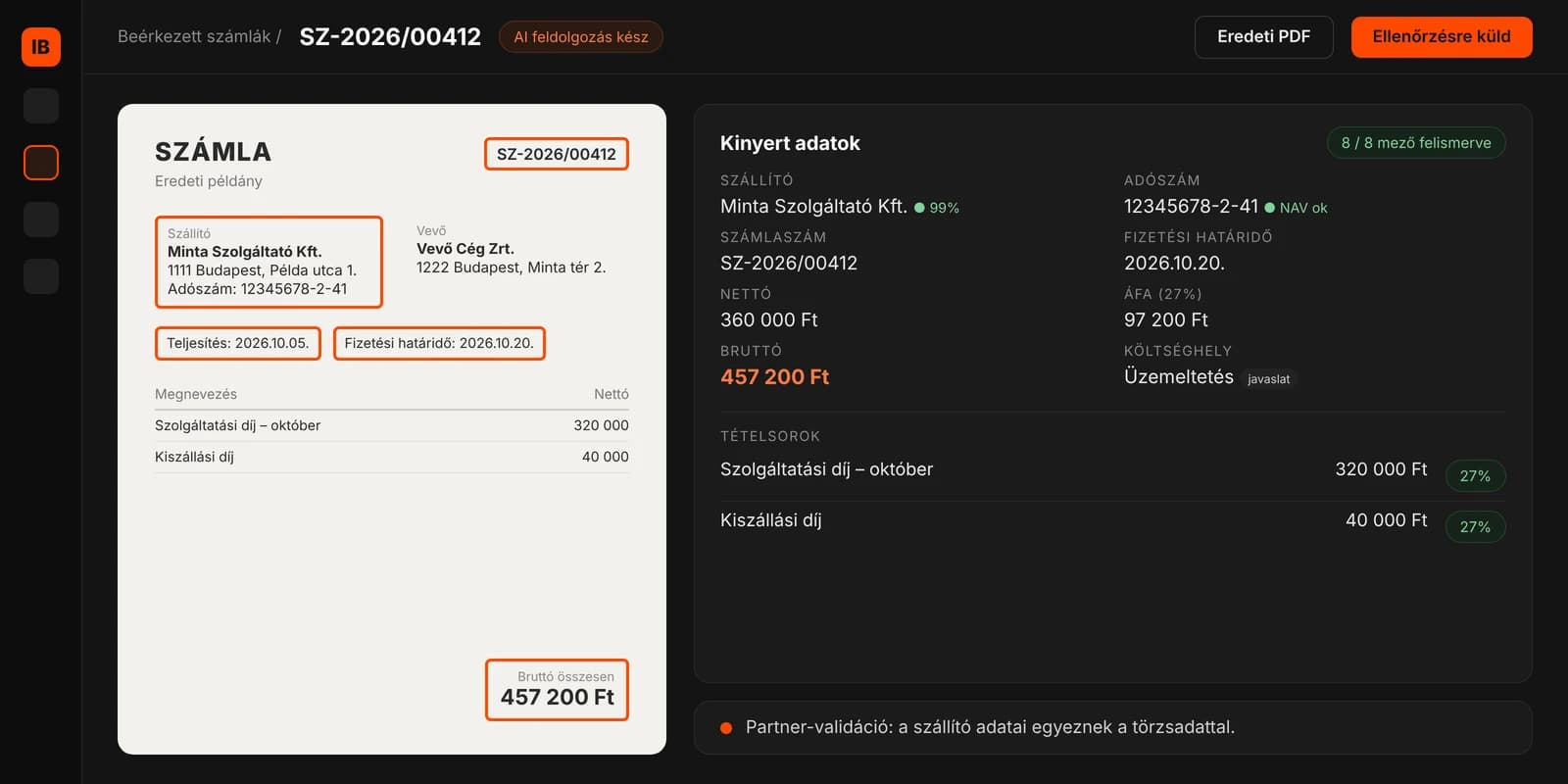
AI extracts the invoice data, then checks whether it is formally and substantively correct, and whether it has a matching purchase order and contract.
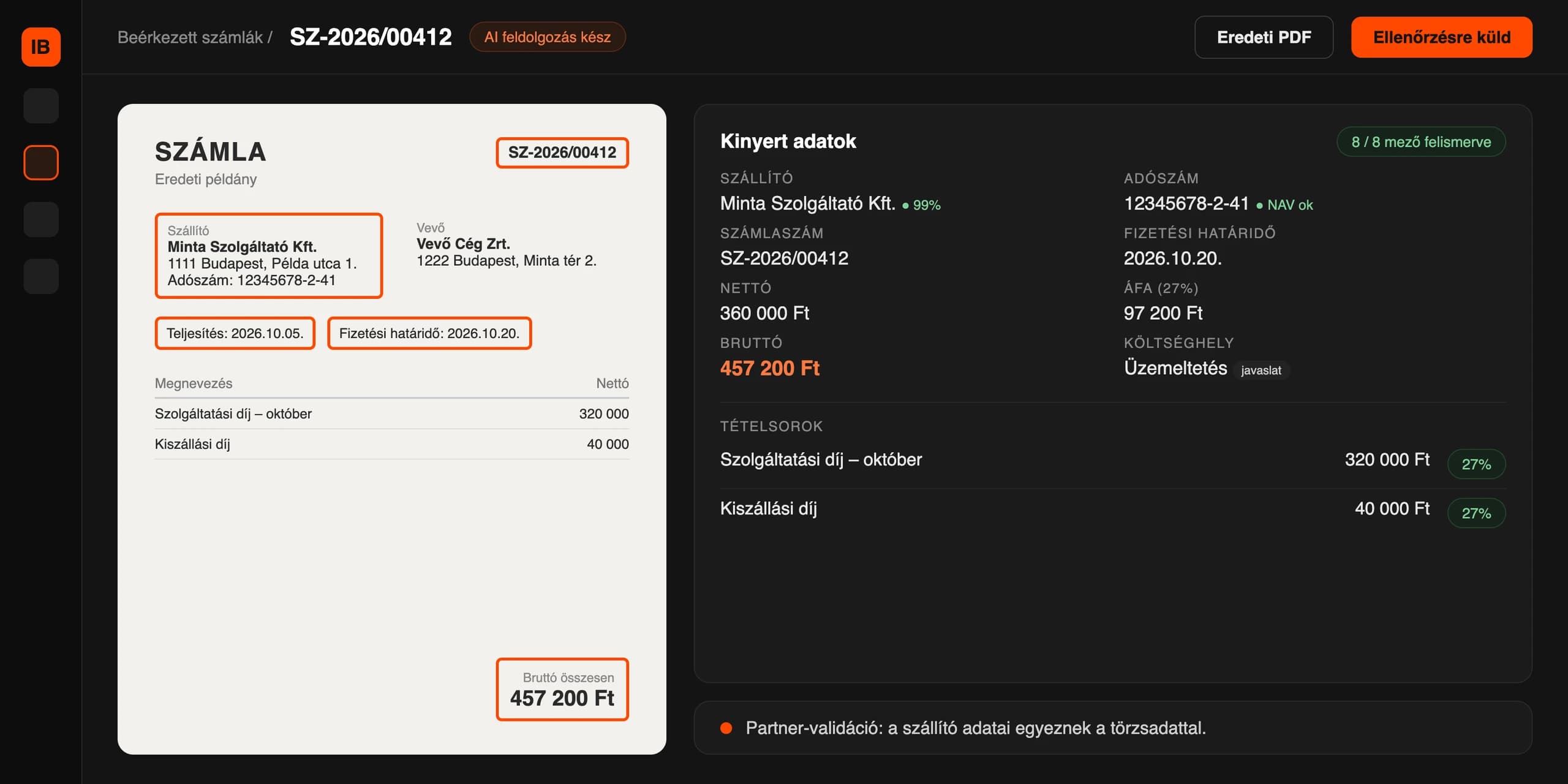
The system monitors the specified email accounts and cloud storage, and also accepts photographed paper invoices. Anything that is not an invoice is sorted out separately.
For a new supplier, AI extracts the partner data and the bank account number. After human approval and a tax number check, the partner is added to the master data.
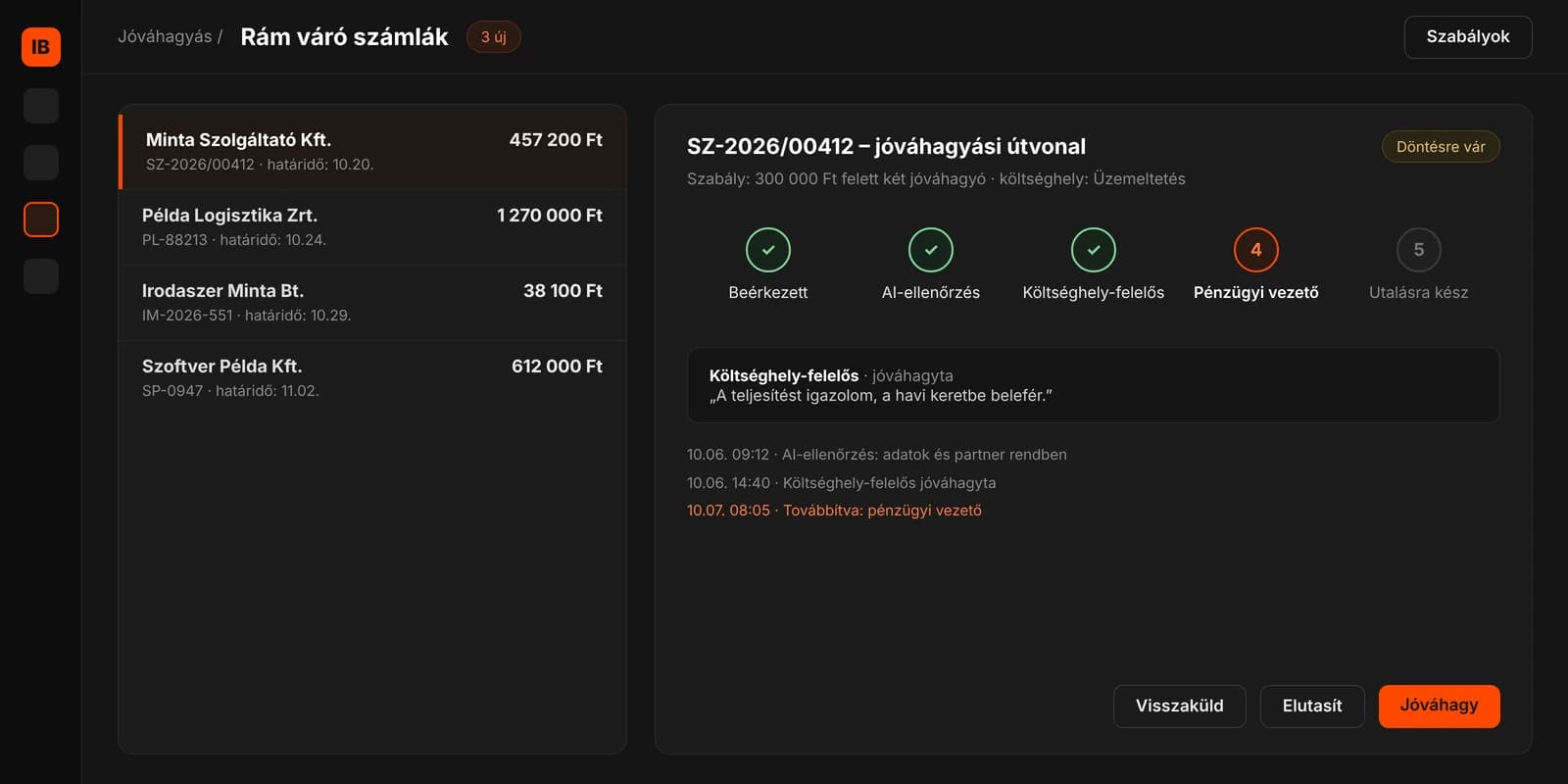
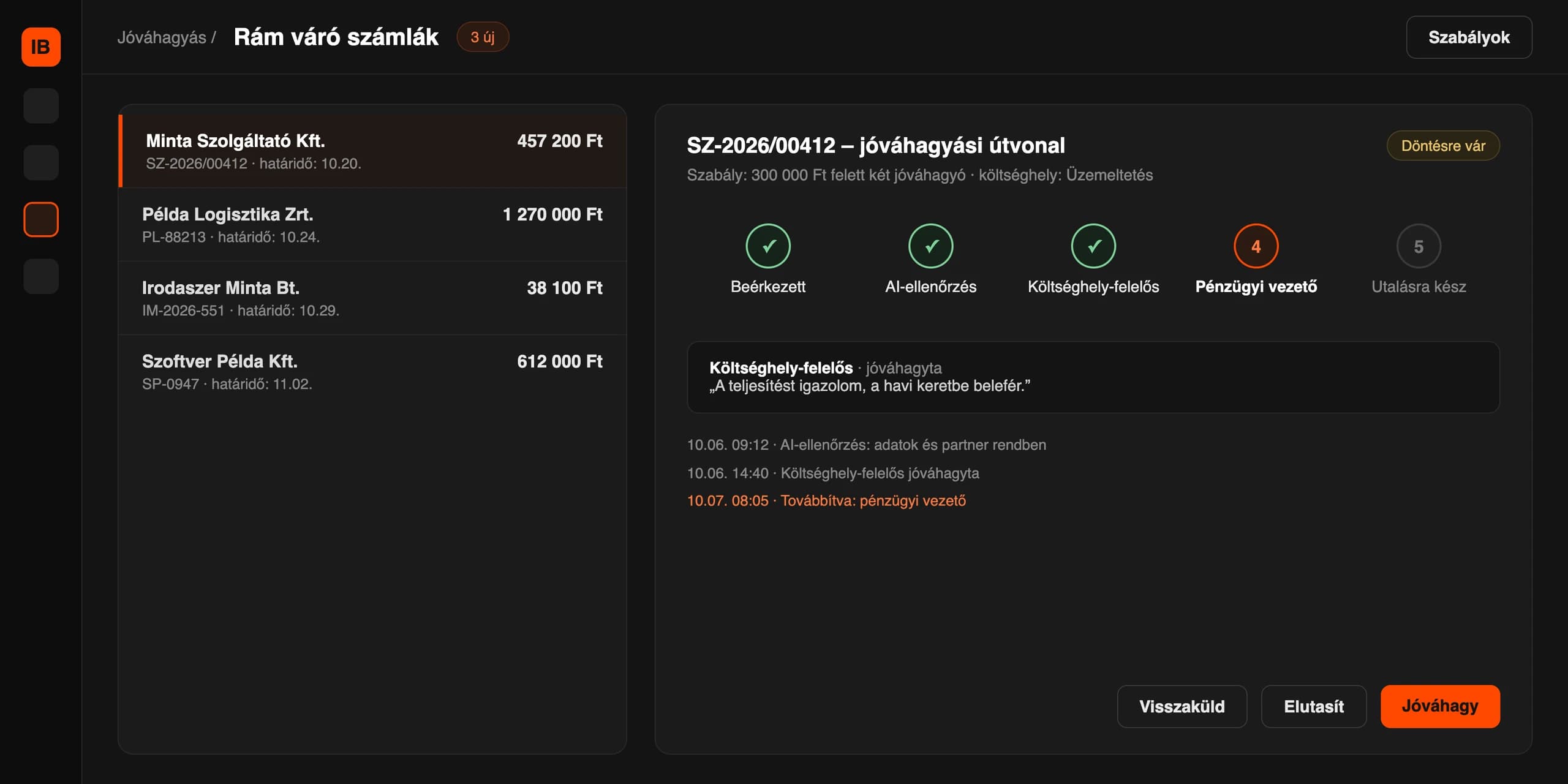
You can set up the approval chain in plain language or from an Excel sheet. Before any change, a simulation shows which earlier invoices would have taken a different route.
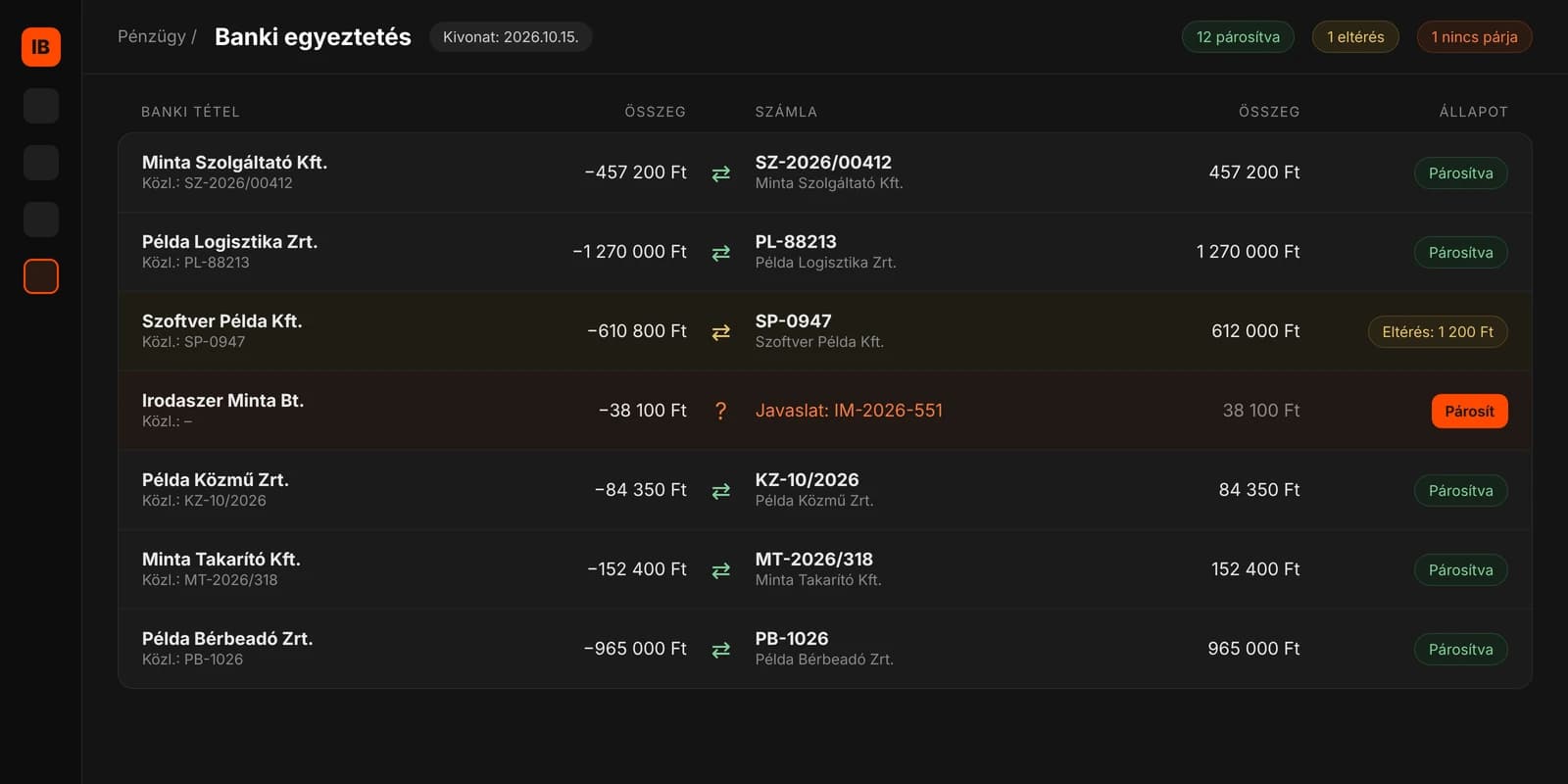
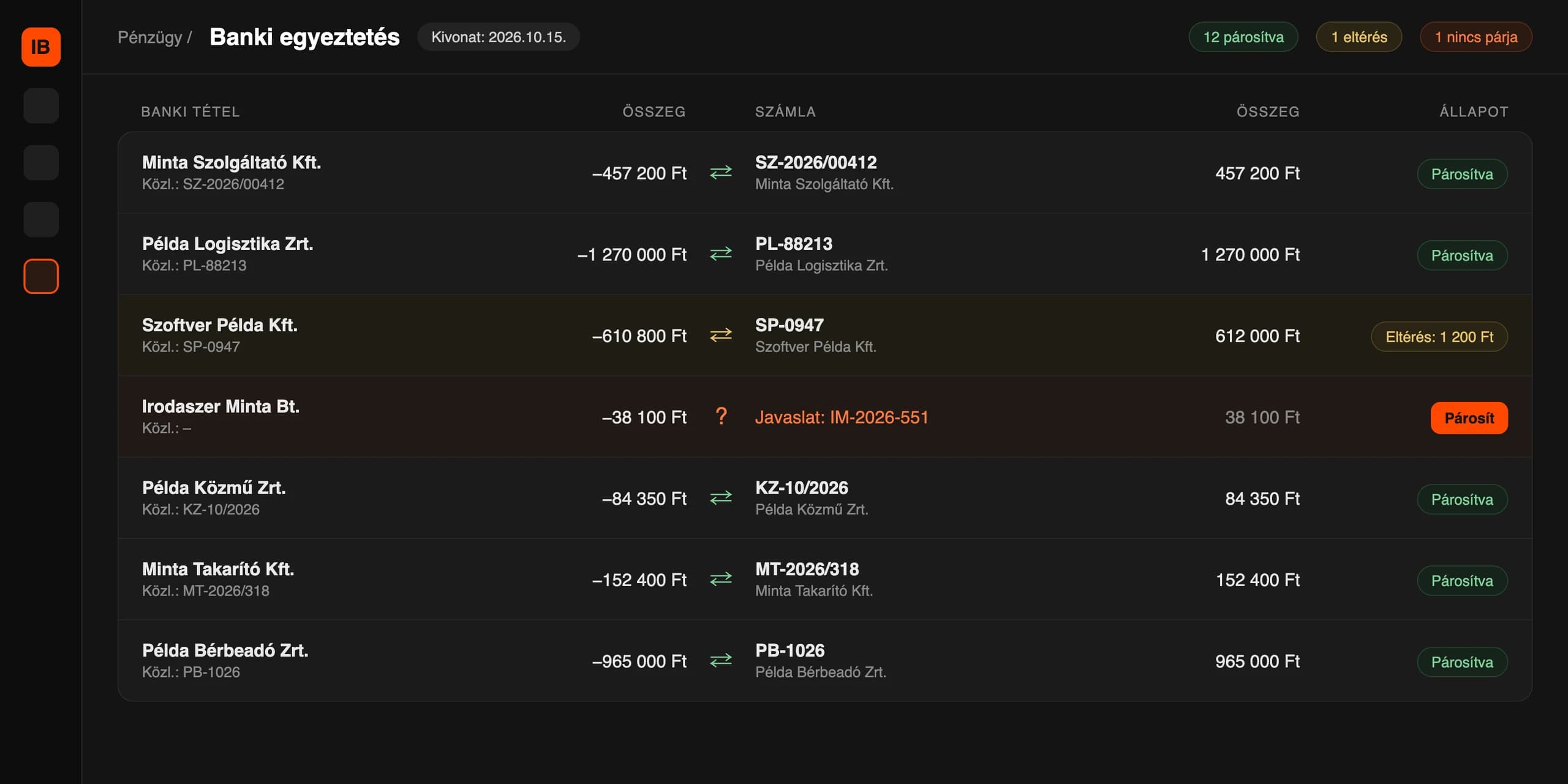
Based on the uploaded bank statements (CSV, PDF, MT940), the system matches invoices with payments. Discrepancies beyond the tolerance go to human review.
Invoices are recorded without delay, so your financial position is always up to date, and you can see what has been paid.
Invoices enter the system from the specified email accounts and cloud storage, or as photos.
AI extracts the data and checks the formal and content accuracy of the invoice.
A new supplier is added to the master data after human approval and a tax number check.
The invoice goes through the approval chain according to the predefined rules.
Based on the bank statements, the system matches invoices with payments.
Processed invoices are sent to the accountant with one click.
Transparent pricing with no hidden costs. Grow with us as your invoice volume and needs expand.
EUR 150/ month
Most popular
EUR 450/ month
Custom quote
For large enterprises – based on a consultation
Book a demo appointment and see InvoiceBot in action!